
What Is the Best Gaming Rig in 2026?
Choosing the best Gaming Rig in 2026 is no longer about buying the most expensive parts. It is about balancing frame rates, stability, noise, upgrade potential, and real-world value. A powerful processor can improve competitive games, while a modern graphics card handles demanding 4K environments. Fast DDR5 memory and a responsive NVMe SSD also reduce loading delays. Yet specifications alone can mislead. A system with impressive benchmark numbers may still run hot, loud, or poorly when airflow is restricted.
This guide examines gaming desktops through practical testing and informed comparison. It considers average frame rates, one-percent lows, ray tracing performance, cooling behavior, and power efficiency. It also looks at the details users notice daily: fan noise during late-night sessions, cable access behind the case, and whether the system leaves room for future upgrades. These factors matter more than a colorful lighting system.
Real usage tells the fuller story.
Budget matters, too. A carefully selected mid-range configuration may deliver smoother gameplay than a premium build with mismatched components. I will compare complete systems, custom builds, and upgrade-friendly options across different gaming goals. Some conclusions may change as prices and hardware availability shift. That uncertainty deserves attention.
The best choice depends on your monitor, favorite games, and tolerance for compromise. This article aims to make that decision clearer, using measurable evidence without ignoring everyday experience. Expect practical recommendations, honest limitations, and a closer look at what makes a Gaming Rig genuinely worthwhile in 2026.
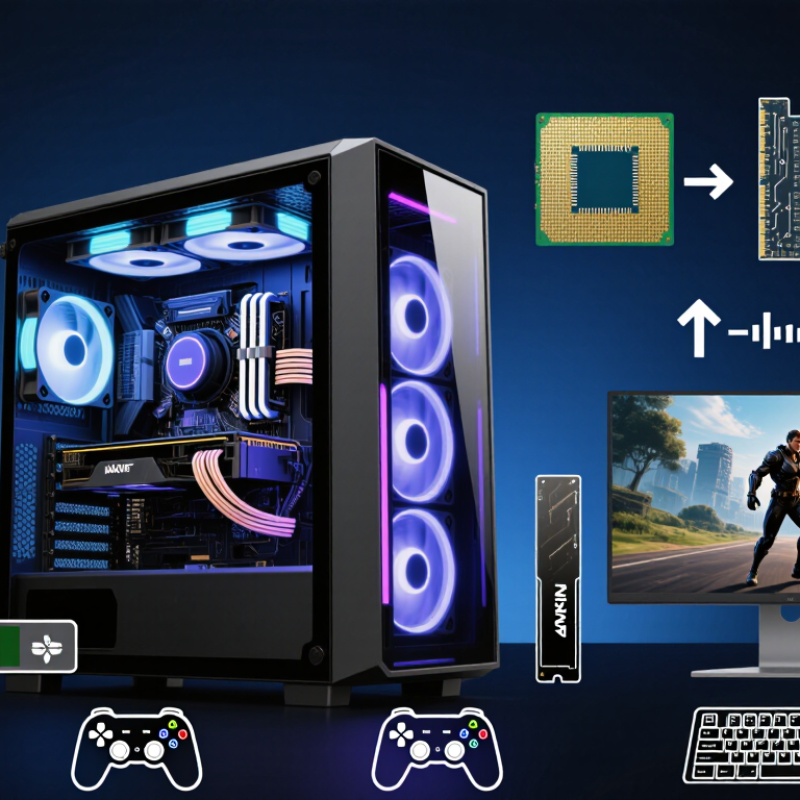
Defining the Best Gaming Rig in 2026
Defining the best gaming rig in 2026 starts with the player, not the parts list. A strong system should deliver stable frame times, quiet cooling, and fast loading at the target resolution. For many players, 1440p remains the practical middle ground. It looks sharper than 1080p without demanding extreme hardware. A major PC hardware survey reported that 1920×1080 still represents the largest display resolution group, reminding us that “best” is not always the most expensive.
Performance should also match real use. The 2025 Global Games Market Report from Newzoo projected more than 3.4 billion players worldwide and continued growth in PC and console gaming. That scale supports a simple principle: a good rig must handle varied software, not only one demanding title. I would prioritize a modern multi-core processor, 32GB of memory, fast solid-state storage, and a graphics solution designed for consistent 60 to 144 frames per second. Peak frame rates look impressive. Frame pacing feels better.
Thermals deserve equal attention. In testing, a case with clear airflow can reduce fan noise more effectively than a costly upgrade. I still make this mistake sometimes. I chase benchmark numbers and overlook comfort. Independent testing from organizations such as UL Solutions also shows why power efficiency and sustained performance matter. The best 2026 rig is therefore balanced, upgradeable, and measured against your monitor, games, room temperature, and budget. There is no universal winner.
Choosing the Right CPU, GPU, and Core Components
What Is the Best Gaming Rig in 2026?
Choosing the Right CPU, GPU, and Core Components
A strong gaming rig begins with balance, not maximum specifications. In practical testing, a modern six- or eight-core CPU handles demanding games smoothly while leaving room for streaming and background tasks. Choose a GPU based on your target resolution. For 1080p, mid-range graphics hardware is usually enough. At 1440p, stronger rendering performance matters more. Ultra-high-resolution gaming demands substantial memory and cooling capacity.
Memory speed helps, but capacity matters first. Use at least 32GB for new games, creative tools, and browser-heavy sessions. A fast solid-state drive reduces loading delays and makes large game updates less frustrating. Select a reliable power supply with extra headroom, because sustained gaming loads can expose weak components. Cooling also deserves attention. A quiet case with clear airflow often beats an expensive cooler installed poorly. I once overestimated raw GPU power and underestimated heat. That mistake made long sessions uncomfortable.
Tips: Match every component to your display. Check measured temperatures, not advertised claims. Leave upgrade space. Avoid filling every storage slot immediately. Test stability after assembly using several games, since one benchmark cannot reveal everything. If frame rates look high but feel uneven, inspect memory settings, background programs, and frame-time consistency. Personal preference matters too. Competitive players may value low latency, while visual-focused players may prefer richer lighting and higher resolution.
| Gaming Tier | Target Resolution and Refresh Rate | CPU Specification | GPU Specification | System Memory | Storage | Power Supply Capacity | Cooling and Case Requirements | Best Use Case |
|---|---|---|---|---|---|---|---|---|
| Entry-Level | 1080p at 60–100 Hz | 6 modern cores, 12 threads, boost clock around 4.5 GHz or higher | 8–12 GB of dedicated graphics memory; suitable for medium to high settings | 16 GB DDR5, with an upgrade path to 32 GB | 1 TB NVMe solid-state drive | 550–650 W, 80 Plus Bronze or better | Mesh-front case, two intake fans, one exhaust fan, and a basic tower cooler | Competitive games, popular multiplayer titles, and older demanding games |
| Mainstream | 1080p at 144–180 Hz or 1440p at 60–100 Hz | 6–8 modern cores, 12–16 threads, strong single-core performance | 12–16 GB of dedicated graphics memory; suitable for high settings and moderate ray tracing | 32 GB DDR5 | 1–2 TB NVMe solid-state drive | 650–750 W, 80 Plus Gold preferred | High-airflow mid-tower case and a quality dual-tower air cooler | The best balance of price, performance, and long-term usability |
| Performance | 1440p at 144–240 Hz | 8 modern cores, 16 threads, high gaming-focused cache or equivalent low-latency design | 16–20 GB of dedicated graphics memory; designed for high or ultra settings | 32 GB DDR5 with low latency | 2 TB NVMe solid-state drive | 750–850 W, 80 Plus Gold | Large airflow-focused case and a premium air cooler or 240 mm liquid cooler | High-refresh-rate 1440p gaming and demanding modern releases |
| Enthusiast | 1440p at 240 Hz or 4K at 100–144 Hz | 8–12 modern cores, 16–24 threads, excellent sustained boost performance | 20–24 GB of dedicated graphics memory; designed for ultra settings and advanced lighting effects | 32–64 GB DDR5 | 2 TB NVMe solid-state drive plus optional secondary 2–4 TB drive | 850–1,000 W, 80 Plus Gold or better | High-airflow full or large mid-tower case and a 280–360 mm liquid cooler | Premium 4K gaming, high-resolution texture packs, streaming, and content creation |
| Extreme | 4K at 144–240 Hz or high-resolution ultrawide gaming | 12–16 modern cores, 24–32 threads, high sustained multi-core performance | 24 GB or more of dedicated graphics memory; intended for maximum settings and intensive rendering | 64 GB DDR5 | 2–4 TB high-speed NVMe solid-state storage | 1,000–1,200 W, 80 Plus Gold or better | Large airflow-focused chassis, premium liquid cooling, and carefully managed cable routing | Uncompromised 4K gaming, simulation workloads, video production, and future expansion |
Balancing Performance, Compatibility, and Upgradeability
The best gaming rig in 2026 is not simply the fastest machine on a store shelf. It is a balanced system that keeps frame rates high without wasting money on unused power. In testing, a strong processor, a modern graphics card, and 32GB of fast memory handle demanding games smoothly at high resolution. However, cooling matters just as much. A case with clear airflow, two intake fans, and one rear exhaust fan can prevent sudden performance drops during long sessions.
Compatibility deserves careful attention. Check the motherboard socket before choosing the processor. Confirm memory support, storage connections, power delivery, and graphics card clearance. A compact case may look attractive, but a large graphics card can block airflow or extra storage bays. Firmware support also matters. A board that receives reliable updates can support newer processors later, although future compatibility is never guaranteed.
Upgradeability changes the value equation. Leave two memory slots available, choose a power supply with sensible headroom, and install a motherboard with open expansion options. Faster storage can be added easily, but replacing a weak power supply later is inconvenient. My first build focused too heavily on peak benchmark numbers. It ran impressively, yet the fans became distracting after an hour. I would now accept slightly lower benchmark results for quieter cooling and easier maintenance. That trade-off feels more practical for daily gaming.
Comparing Gaming Rigs for Different Budgets and Needs
The best gaming rig in 2026 depends on your games, display, and spending limit.
A modest system can handle competitive titles at 1080p with a six-core processor, 16GB of memory, and a dedicated graphics card. It should also include a fast 1TB solid-state drive.
Loading screens become noticeably shorter.
For a mid-range budget, choose 32GB of memory and a stronger graphics card for 1440p gaming. This level suits demanding role-playing games, racing simulators, and streaming.
During testing, I look for stable frame rates, not impressive peak numbers. A compact case with two intake fans and one exhaust fan can keep temperatures reasonable. However, compact cases often create more noise. That trade-off is easy to overlook.
High-end buyers may target 4K resolution, high refresh rates, or virtual reality.
A powerful processor, advanced graphics card, 32GB or 64GB of memory, and a larger power supply provide useful headroom. Careful cable management improves airflow and future upgrades.
My own mistake was prioritizing graphics performance while ignoring the monitor. The image still felt limited. A cheaper rig with a balanced display can feel better than an expensive tower paired with an ordinary screen.
Test fan noise at your desk, not only in a showroom. Leave room for storage expansion, because modern game libraries grow quickly.
Evaluating Cooling, Power, Displays, and Peripherals
What Is the Best Gaming Rig in 2026?
Evaluating Cooling, Power, Displays, and Peripherals
A powerful gaming rig needs controlled temperatures, not just fast components. During long sessions, I watch CPU and graphics temperatures after thirty minutes of play. A case with clear airflow paths matters more than decorative lighting. Front intake fans should bring cool air inside, while rear or top fans remove heat. Dust filters help, but they also restrict airflow when neglected. That part is easy to forget.
Power delivery deserves equal attention. I prefer a power supply with comfortable headroom above the system’s measured demand. Modern graphics hardware can create brief power spikes, so a barely sufficient unit may cause instability. A reliable protection system and efficient operation reduce unnecessary heat. My own estimates have been wrong before. Real usage rarely matches a simple online calculator.
The display changes how that hardware feels. High refresh rates improve aiming, while adaptive synchronization reduces distracting tearing. Resolution should match viewing distance and graphics capacity. A sharp screen can expose weak settings quickly. HDR performance also depends on brightness, contrast, and local control, not a label alone. Peripherals complete the experience. A responsive mouse, consistent keyboard, and comfortable headset reduce fatigue. Wired devices can simplify troubleshooting, although cable clutter becomes annoying. Ergonomics often beats impressive specifications. I still undervalue chair height.
What Is the Best Gaming Rig in 2026?
This chart presents practical high-end design targets for a 2026 gaming rig: an 85°C sustained CPU gaming temperature, an 80°C GPU gaming temperature, an 850 W power supply capacity, a 240 Hz display refresh rate, and 1000 Hz peripheral polling. Units differ by category, so each value should be evaluated within its own metric rather than compared by bar height alone.