How to Choose GPU Rental Services in 2026?
Choosing GPU Rental Services in 2026 requires more than comparing hourly prices. The real question is whether rented hardware can deliver predictable performance, secure data handling, and measurable business value. Stanford’s AI Index Report 2025 shows that AI capability continues advancing rapidly, while the cost of using leading models has declined sharply. This creates pressure to experiment faster, but cheaper access does not always mean lower total cost. A slow network, limited VRAM, or expensive data egress can quietly consume the budget.
Energy matters too. The International Energy Agency estimates that data centers used about 415 terawatt-hours of electricity globally in 2024. Its base-case outlook projects consumption near 945 terawatt-hours by 2030. That growth may influence regional pricing, availability, and sustainability claims. Buyers should therefore examine where GPUs operate, how providers measure efficiency, and whether renewable-energy statements are independently supported.
Performance must be tested directly. Run a short workload using your actual model, batch size, storage pattern, and framework. Record tokens per second, startup time, GPU memory, and interruption frequency. Small details matter. An NVIDIA H200, H100, or L40S may suit very different workloads. The fastest card can be wasteful for light inference.
Be skeptical of perfect promises. The Uptime Institute’s data center research repeatedly highlights reliability, outage, and operational risks across the industry. A strong evaluation should review SLA credits, support response times, security certifications, contract flexibility, and data deletion procedures. This guide examines those factors carefully, while recognizing one uncomfortable truth: published specifications rarely predict the entire customer experience.
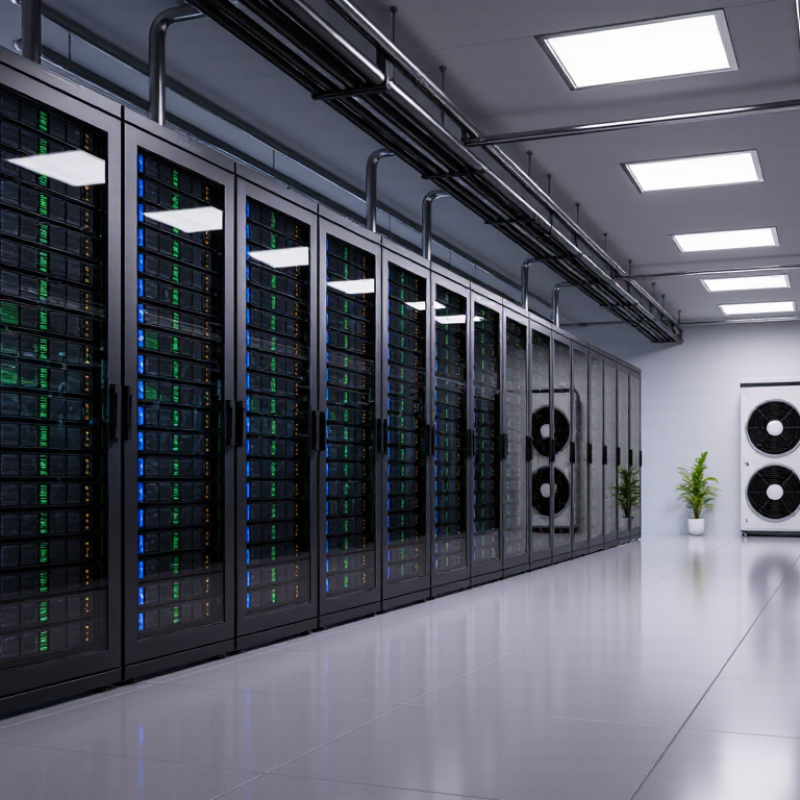
GPU Rental Services: Definition, Purpose, and Common Use Cases
How to Choose GPU Rental Services in 2026?
GPU rental services provide temporary access to graphics processing units through remote data centers. Users pay for computing time, storage, and related network resources. This model avoids purchasing expensive hardware that may become outdated quickly.
The purpose is practical. A research team can train a language model overnight, while a design studio can render a detailed scene before a deadline. Developers also use rented GPUs for simulation, image generation, video processing, and model testing. Stanford’s AI Index 2025 reports that the training compute for notable AI models has been doubling roughly every five months. Demand is moving faster than many internal budgets.
Capacity matters. Memory size, interconnect speed, regional availability, and data transfer limits can change project results. The International Energy Agency estimates that data centers consumed about 460 terawatt-hours globally in 2022. It expects consumption to exceed 1,000 terawatt-hours by 2026. Efficient facilities and transparent energy reporting therefore deserve attention.
A low hourly price can mislead. That assumption often fails. Check startup delays, minimum billing periods, uptime records, security controls, and support response times. Run a small workload first, using the same dataset and software environment. Compare completed tasks, not only advertised GPU speed. I have seen powerful hardware waste money when storage queues or configuration errors slowed the workflow. The imperfect part is unavoidable: estimates change as models, workloads, and electricity costs evolve.
Key Factors for Comparing GPU Rental Providers in 2026
Choosing a GPU rental provider in 2026 requires more than comparing hourly prices. Real workloads expose hidden differences. Test the same model, dataset, and batch size across several providers. Record startup time, training speed, memory stability, and interruption frequency. A low rate may become expensive when jobs restart repeatedly.
Compare GPU generations, available memory, networking speed, and regional capacity. Check whether the provider offers clear usage records and predictable billing. Security also matters. Look for encryption, access controls, isolated environments, and documented data deletion procedures. Reliable providers publish service-level targets and explain compensation for downtime. Customer support should offer technical answers, not copied scripts. I have found that response quality during a failed run reveals more than polished sales pages.
Tips: Run a short benchmark before committing. Measure results at busy hours. Ask about reserved capacity, storage fees, and egress charges. Review cancellation rules carefully. Keep a small test workload ready; it can expose performance changes after hardware allocation. Do not trust one benchmark alone. A provider may perform well for image training but poorly for large language models. My comparisons are never perfectly neutral, because workload design affects every result. That limitation deserves attention.
How to Choose GPU Rental Services in 2026?
Key factors for comparing GPU rental providers in 2026, ranked by their recommended importance in a balanced evaluation model.
Cost efficiency and GPU availability usually have the greatest impact on project results. Also compare performance per dollar, data-transfer fees, regional latency, service reliability, and security requirements before selecting a provider.
Pricing Models, Contracts, and Total Rental Costs
GPU rental prices rarely equal the final bill. Hourly rates suit short experiments, while monthly commitments can reduce unit costs for stable workloads. However, unused reserved capacity becomes expensive quickly. The 2024 State of the Cloud Report found that 59% of organizations spend more than planned on cloud services. That warning applies to GPU rentals too. Compare compute, storage, data transfer, image setup, monitoring, and technical support before signing.
Contracts deserve equal attention. Check minimum terms, cancellation rules, renewal pricing, outage credits, and hardware replacement commitments. Spot capacity may look attractive, but interruptions can damage long training runs. A practical estimate is: total cost = GPU hours + storage + transfer + setup + support + expected idle time. The last item is often forgotten. Uptime Institute’s 2024 Global Data Center Survey also highlighted continuing power and capacity constraints, which may affect availability and future pricing.
Tips: Test one workload first. Record real utilization. Ask for a full invoice example. Compare three scenarios: hourly, reserved, and interrupted capacity. Do not trust a low headline rate. A cheaper GPU can lose its advantage through slower training or limited memory. I have seen spreadsheets miss storage fees. That mistake is easy to repeat. Also, contracts are rarely perfectly transparent. Leave room for review after the first month, especially when demand, energy costs, or project timelines change.
How to Choose GPU Rental Services in 2026? - Pricing Models, Contracts, and Total Rental Costs
| GPU Class | Typical Workload | On-Demand Rate
(USD/GPU-hour) | Reserved Rate
(USD/GPU-hour) | Reserved Discount | Recommended Contract | Estimated Monthly GPU Cost
(730 hours) | Best-Fit Pricing Model |
Entry-Level GPU
(16 GB VRAM) | Development, inference, testing, and small computer-vision models | $0.20–$0.60 | $0.14–$0.45 | 15%–30% | Monthly or 3-month commitment | $102–$438 | On-demand for irregular usage; reserved for daily development |
Mid-Range GPU
(24 GB VRAM) | Rendering, fine-tuning, recommendation systems, and production inference | $0.60–$1.40 | $0.42–$1.05 | 20%–30% | 3–12 months with flexible scaling | $307–$1,022 | Monthly reserved capacity with burstable on-demand usage |
High-Memory GPU
(40 GB VRAM) | Large-model fine-tuning, simulation, analytics, and multi-GPU experiments | $1.00–$2.50 | $0.70–$1.90 | 20%–35% | 6–12 months; verify replacement capacity | $511–$1,825 | Reserved instances for predictable training schedules |
High-Memory GPU
(80 GB VRAM) | Large-language-model training, fine-tuning, and memory-intensive scientific workloads | $1.80–$4.00 | $1.25–$3.10 | 20%–35% | 6–12 months with cancellation or exchange terms | $912–$2,920 | Reserved or committed-use pricing when utilization exceeds 60% |
Latest-Generation GPU
(80 GB+ VRAM) | Frontier-model training, high-throughput inference, and accelerated computing | $2.50–$6.00 | $1.75–$4.80 | 15%–35% | 3–12 months; include guaranteed allocation and SLA terms | $1,278–$4,380 | Short-term on-demand for experiments; committed capacity for production |
Total Rental Cost Formula
Monthly total = GPU hours × GPU rate + storage + data transfer + software or support fees + applicable taxes.
Contract Checkpoints
Review minimum commitments, cancellation rights, capacity guarantees, billing increments, and overage rates before signing.
Cost-Control Rule
Reserved pricing generally becomes more economical when utilization is consistent; on-demand pricing is safer for uncertain workloads.
Note: Rates are indicative 2026 planning ranges in USD per physical GPU-hour, compiled as market benchmarks rather than quotes from a specific provider. Monthly estimates use 730 hours and exclude CPU instances, memory, block storage, networking, operating-system licenses, support, and taxes. Actual prices vary by region, GPU availability, interconnect type, instance configuration, and contract terms.